How does the Reviewbleu platform work ? Find out how to become the most reviewed on Google and avoid negative reviews. Watch the video and request a demo or a visit from one of our consultants without obligation .
FIND OUT MORE
Links and integrations
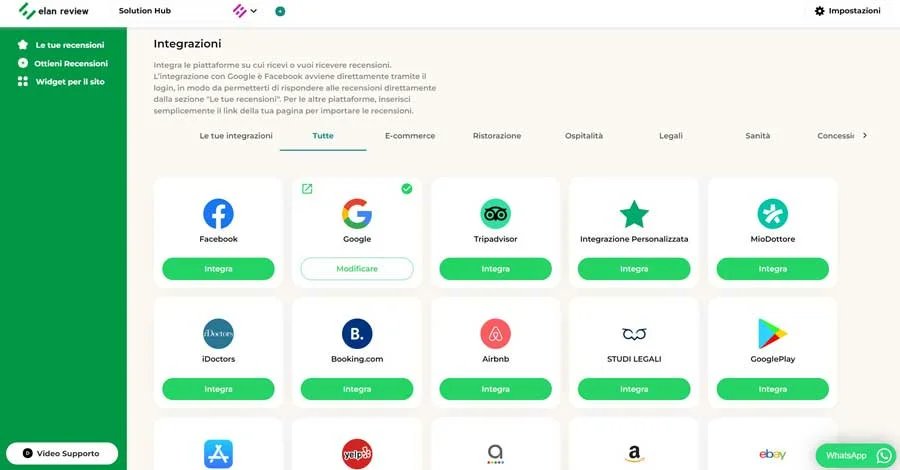
The first step is to connect the Google Business Profile tab, and all the other review platforms you want to use, to the Reviewbleu tool. From the Settings menu at the top right, selecting the integrations section you can integrate all the platforms on which you want to receive reviews.
Request reviews in one click
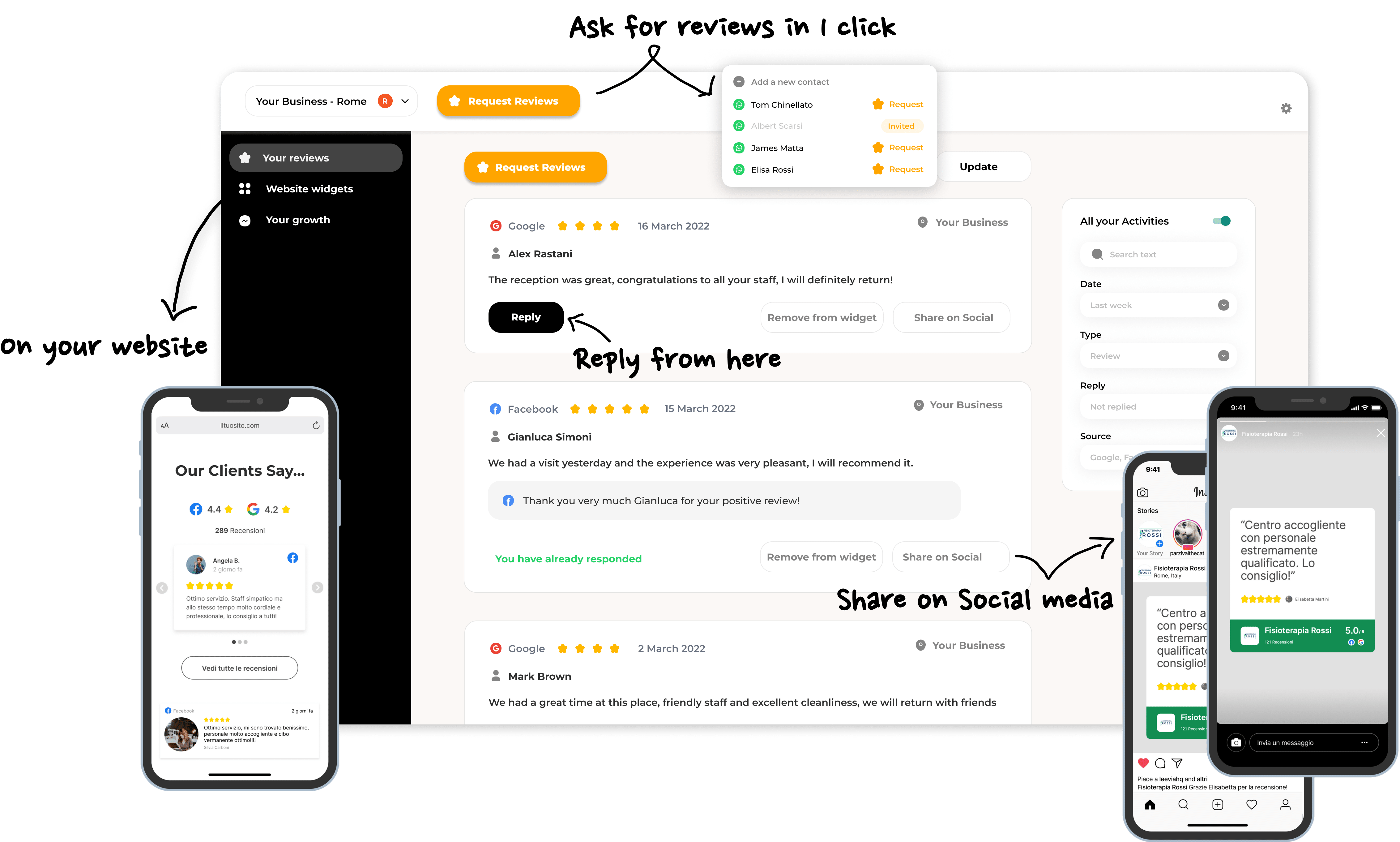
From the ” Get Reviews “ section you can send review requests to your customers in four ways: WhatsApp, Email, SMS, or QR Code. From the “Send WhatsApp” section you can add the name and numbers of your customers and in just one click send all review requests.
Links and integrations
The first step is to connect the Google Business Profile tab, and all the other review platforms you want to use, to the Reviewbleu tool. From the Settings menu at the top right, selecting the integrations section you can integrate all the platforms on which you want to receive reviews.
Request reviews in one click
From the ” Get Reviews “ section you can send review requests to your customers in four ways: WhatsApp, Email, SMS, or QR Code. From the “Send WhatsApp” section you can add the name and numbers of your customers and in just one click send all review requests.
Links and integrations
The first step is to connect the Google Business Profile tab, and all the other review platforms you want to use, to the Reviewbleu tool. From the Settings menu at the top right, selecting the integrations section you can integrate all the platforms on which you want to receive reviews.
Request reviews in one click
From the ” Get Reviews “ section you can send review requests to your customers in four ways: WhatsApp, Email, SMS, or QR Code. From the “Send WhatsApp” section you can add the name and numbers of your customers and in just one click send all review requests.
Links and integrations
The first step is to connect the Google Business Profile tab, and all the other review platforms you want to use, to the Reviewbleu tool. From the Settings menu at the top right, selecting the integrations section you can integrate all the platforms on which you want to receive reviews.
Request reviews in one click
From the ” Get Reviews “ section you can send review requests to your customers in four ways: WhatsApp, Email, SMS, or QR Code. From the “Send WhatsApp” section you can add the name and numbers of your customers and in just one click send all review requests.
Request reviews in one click
From the ” Get Reviews “ section you can send review requests to your customers in four ways: WhatsApp, Email, SMS, or QR Code. From the “Send WhatsApp” section you can add the name and numbers of your customers and in just one click send all review requests.